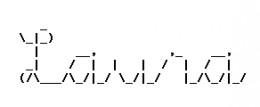
 Once upon a time a signature wasn’t much more than a show of good penmanship. Now a signature can be plain, just links, maybe a quote. Signatures in HTML are colourful and fancy but too clunky for downloading with email. I like ASCII art signatures best of all. ASCII stands for American Standard Code for Information Interchange, your basic everyday keyboard characters. Its become a tradition for ASCII art to only use the characters you can actually see on your keyboard. If you get into the alt key the art becomes ANSI art.
ASCII art has been used for more than just signatures. MUDs, IRC chat, ezines and of course newsgroup and email postings have used ASCII art and emoticons (smileys). Some people have printed out the bigger pictures for kids to colour. One thing all ASCII art has in common is a monospace font. This keeps it looking the same for all computers. If you are seeing ASCII art all warped, jumbled looking, try changing your font to FixedSys or Courier New. When ASCII art is included in a webpage it needs the HTML tag pre and /pre to keep the characters arranged with all the spaces in place.
Signatures should be short but not too cluttered. If you can keep it under 5 lines you’re doing great. I’ve made some which are four lines, the acceptable standard. I think the netiquette police aren’t so concerned with the length of ASCII signatures now that HTML is getting more popular. Still, you don’t want to annoy people with your signature, usually. Keep signatures less than 75 characters wide. Longer signatures can wrap and then they just look like a mess of text. Don’t forget to include your URL and if you use ASCII art, the artist’s initials.
In July 1996 while still a Net newbie, I thought the pictures made with keyboard characters were amazing. Making the pictures myself seemed so out of reach. I didn’t even know what they were called. I searched for keyboard art, typewriter art, anything and everything I could think of. I didn’t find what I was looking for. Finally, I found a site answering newbie questions and they emailed back and told me: ASCII Art! The mystery was solved!
I made my first keepable picture January 1998 (with the help of Albert and Joan on the Sig-List). ASCII Art became my special outlet for the drawing I have always wished I could do. Its been a few years and a lot of ASCII later. I have some signatures I especially like, some art I enjoy sharing on my personal site and a few really great ways of promoting my projects online. People notice ASCII art. Not everyone has my appreciation of it, but it does get noticed. Some people, like my husband, say it’s outdated, a throwback to the 70’s. Little does he know, ASCII Art is still evolving and it started on typewriters, not computers.
ASCII art isn’t using a program to turn a graphic into ASCII text. Anyone can open a program, that’s not art. ASCII art is created when someone uses a minimal amount of data to represent an object. Of course, its not always easy to see, the whole eye of the beholder thing… But its really impressive what some people can do with just a few keyboard characters and a lot of imagination and creativity.
This was originally posted to the BackWash site, October 12, 2001. I wrote there several years before the site closed.