Posts in category “Internet Unplugged”
Posted on . Filed in . Tagged with .

HerBlogger

The universe is full of magical things patiently waiting for our wits to grow sharper. --Eden Phillpotts

There is more talk of HerBlogger at HerPlanet. Stay tuned for more. I think it's so exciting. I hope it can get the go ahead this time. I'd love to manage a really great blogging community for women. I wish we had taken advantage of the big exodus from Blogger several months ago. Now we have Movable Type to compete with too. Still, I'm not sure how they are going to arrange it all. Maybe we won't be in direct competition with Movable Type if we have more of a hosting service than a software package.

Posted on . Filed in . Tagged with .

Computer Art - Kids Can Do It!

You don't have to be able to draw to be an artist. There are other ways and things to create with. For instance, clay, paper, thread, plants and text. Chances are you have seen art made with text. Its called ASCII art and it appears most often in email signatures. ASCII art is used to promote your website by attracting attention to the URL in your signature. But ASCII art is also a lot of fun and a challenging hobby. Of course, its not easy to get started, though you would think its pretty simple. All you need is a computer or typewriter. You supply all the creativity, ideas, skill and imagination.

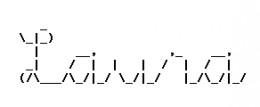
To start try finding a very simple picture or just use your name. See if you can create a copy of it using the ASCII keyboard characters. If you are working on your name try using just one character and then selecting a second one to fill in more spaces. Work along that way, remove some characters when you find one that works better. That's really how I make my own ASCII art, just trying different characters to fill in spaces and taking out ones that didn't work as well. You can also look at other people's ASCII art for ideas, see how they used different characters to fill in spaces.

Don't forget to include your artist's initials. Your initials show the picture was made by you. Most people who appreciate ASCII art will keep your initials with your picture.

There are lots of places to share your ASCII art. You can have it on your personal website, make your own ASCII art gallery. People colour ASCII art and show it off in different IRC and chat channels too. There is also an ASCII art newsgroup: alt.ascii-art. The SigList is a wonderful email discussion list for ASCII art fans and artists. If you want some help making your ASCII art that's a good place to look.

Here is some basic information to help you through the usual problems people have when they start making ASCII art. Signatures, or any ASCII art you want to send through email, should be small. If you can keep it under 5 lines you're doing great. I've made some which are four lines, the acceptable standard. Also keep signatures less than 75 characters wide. Longer signatures can wrap and then they just look like a mess of text. NotePad is really the best place to make ASCII art, it doesn't open up very wide. As long as you keep your signature at a size that fits easily in NotePad you will have no trouble sending it in an email.

ASCII stands for American Standard Code for Information Interchange, the keys you can see on your keyboard. One thing all ASCII art has in common is a monospace font. This keeps it looking the same for all computers. If you are seeing ASCII art all warped, jumbled looking, try changing your font to FixedSys or Courier New. If you make your ASCII art in Windows NotePad you have the FixedSys font automatically.

Posted on . Filed in . Tagged with .

I’ve Always Wanted my Name in ASCII

Once upon a time a signature wasn’t much more than a show of good penmanship. Now a signature can be plain, just links, maybe a quote. Signatures in HTML are colourful and fancy but too clunky for downloading with email. I like ASCII art signatures best of all. ASCII stands for American Standard Code for Information Interchange, your basic everyday keyboard characters. Its become a tradition for ASCII art to only use the characters you can actually see on your keyboard. If you get into the alt key the art becomes ANSI art.

ASCII art has been used for more than just signatures. MUDs, IRC chat, ezines and of course newsgroup and email postings have used ASCII art and emoticons (smileys). Some people have printed out the bigger pictures for kids to colour. One thing all ASCII art has in common is a monospace font. This keeps it looking the same for all computers. If you are seeing ASCII art all warped, jumbled looking, try changing your font to FixedSys or Courier New. When ASCII art is included in a webpage it needs the HTML tag pre and /pre to keep the characters arranged with all the spaces in place.

Signatures should be short but not too cluttered. If you can keep it under 5 lines you’re doing great. I’ve made some which are four lines, the acceptable standard. I think the netiquette police aren’t so concerned with the length of ASCII signatures now that HTML is getting more popular. Still, you don’t want to annoy people with your signature, usually. Keep signatures less than 75 characters wide. Longer signatures can wrap and then they just look like a mess of text. Don’t forget to include your URL and if you use ASCII art, the artist’s initials.

In July 1996 while still a Net newbie, I thought the pictures made with keyboard characters were amazing. Making the pictures myself seemed so out of reach. I didn’t even know what they were called. I searched for keyboard art, typewriter art, anything and everything I could think of. I didn’t find what I was looking for. Finally, I found a site answering newbie questions and they emailed back and told me: ASCII Art! The mystery was solved!

I made my first keepable picture January 1998 (with the help of Albert and Joan on the Sig-List). ASCII Art became my special outlet for the drawing I have always wished I could do. Its been a few years and a lot of ASCII later. I have some signatures I especially like, some art I enjoy sharing on my personal site and a few really great ways of promoting my projects online. People notice ASCII art. Not everyone has my appreciation of it, but it does get noticed. Some people, like my husband, say it’s outdated, a throwback to the 70’s. Little does he know, ASCII Art is still evolving and it started on typewriters, not computers.

ASCII art isn’t using a program to turn a graphic into ASCII text. Anyone can open a program, that’s not art. ASCII art is created when someone uses a minimal amount of data to represent an object. Of course, its not always easy to see, the whole eye of the beholder thing… But its really impressive what some people can do with just a few keyboard characters and a lot of imagination and creativity.

This was originally posted to the BackWash site, October 12, 2001. I wrote there several years before the site closed.

Posted on . Filed in . Tagged with .

Using your Voice Online - Part Three

You've made a great website, you feel quite proud of it and now you want people to find it. No problem, website promotion is pretty easy and kind of fun too. Everyone knows about using search engines but there are other things you can do to promote your site: ad exchanges, signature files, awards, webrings, newsletter and word of mouth. For some of them you need to access the html code for your website.

Starting with the search engines one thing you will need to do is create meta tags. Meta tags are what the search engines and web browsers read in the html code of your site. You won't see it on the page itself, its just part of the behind the scenes code. Get meta tags from another site, just use your web browser. Right click on a bare space on the webpage and choose View Source from the window that comes up. Change the information to your own information and paste the new code into your own html code. Don't forget to save the file when you're done.

Now you're ready to submit to the search engines. You can save yourself some steps by going right to the places the search engines get their content Dmoz.org and Zeal.com. Take the time to look for just the right category for your site. If you have a special personal interest look for that category and submit your site with the title, URL and a description. It may take awhile for your site to turn up in the directory but once it does the other bigger search engines will pick it up too. Or you can submit to all the search engines you can find. There are lots out there. Some only list certain kinds of sites, about certain topics or from specific countries.

Here is one of the more fun things you can do, I think. Its making a signature file for all your email, newsgroup or message board posting. Try to keep the signature file no more than 4 or 5 lines of typing and less than 65 typing characters wide. That should fit in most email readers without becoming warped. Also, many people become annoyed if a signature is longer than the original post made to the newsgroup or message board. If you only have one or two URLs to add for your website think about adding something fancier.

ASCII art and figlets have been added to signatures for years. There is a lot out there to choose from. Likely you will find something related to your site or just appealing to you. Make sure it fits into your signature file and check to see that it doesn't get too long and warp when you send it to someone. Another thing people use in signature files are quotations. Have you heard a quote you especially liked? Short quotations are easy to fit into a signature file. If you need to know how to use the signature file in your email or news reader check the help files that come with it. Most of them will tell you step by step how you can add a signature automatically to each message you send out.

Would you like to win an award for your site? Chances are good you would. So would other kids with personal sites. If you can do a little work with graphics or find one somewhere you can create an award for other sites. First, decide on what the award is for. Most colourful site, most boring site, best personal site by a kid, etc. Try to find some unique idea that fits into the content of your own site. Its an award from your site so it should have something to do with your site. The key to having a website award as a promotion for your own site is that they link back to you when they put the award on their site. Once you have your graphic put it up on its own page with a description of what the award is for and how you decide who wins it, also how often you give out the award. Then include the link to the page the award is on at your site. Make sure anyone applying for your award knows they must link back to your page if they want the award on their site. Keep track of who has your award, its a good idea to add their URL to a list of winners which you keep on your site. This also encourages more people to get your award as both of you will have your URL promoted. Your URL will be on their site and their URL will be on your site.

Maybe you can't make a graphic or can't think of a good idea or theme for the award. You can look at webrings. Joining a webring is just a matter of adding a bunch of html code to your webpage. Go to Yahoo, RingSurf or one of the other webring directories and see what topics you can fit into. There are rings for personal sites by the dozens, look for one about kids or something especially relevant to the contents of your site. Webrings work by bringing traffic to your website as people browse all the sites in the ring. It doesn't matter if your site is number 99 in the ring, people can start from anywhere in the ring, not just from the first site. Don't join a ring that's too small unless you especially like it for some reason. Small rings will take time to build up, if they ever do. The webring owner has to keep watch over all the links and make sure each one has the html displayed on their page. Its takes a lot of time to manage a webring, its easier to just join one or two someone else is managing.

Would you like to publish a newsletter? It can be a whole newsletter, your own publication with frequent updates, or just an announcement list to let people know you have updated your website. Free email lists and newsletters are available at Yahoo and Topica.com. Its pretty simple to set up your own email list there. All you really need is a URL and description for your website. Decide what you want the list to be. If its going to be a discussion list it will need promotion too. But this kind of list is also great for exchanging ads with other kids who have newsletters/ discussion email lists or ezines. Just as with the website awards you trade links and link back to each other. This time its in the content of your newsletter instead of on your website.

Keep track of who you trade links with or submit links to. You can keep a file with the description you prefer for your website right on your computer. Then when an opportunity comes for some promotion you just need to cut and paste the information. That makes the whole thing much easier.

The last promotion idea I'm writing about today is word of mouth. That means telling your family, friends and anyone else who could possibly be interested in seeing your site. Look for opportunities online. If you read another site sign their guest book and make sure you add your URL in the space provided in most guest book forms. If you read an email list make sure your signature file is working so others reading the list will see your URL and be curious enough to click on it. When you are chatting online offer your URL to the friends you make. Put your URL on your school books, on penpal letters, anything you can think of that won't get you into trouble. Be creative and have fun with it. Watch your web counter and see how many people are visiting your pages.
Posted on . Filed in . Tagged with .

Using your Voice Online - Part Two

With 26 letters you can make endless words and a never ending amount of sentences. Emotions can be expressed. Points can be discussed. All from those same letters. When you know what you want to say and where you want to say it next its time to think of how to say it. What tone will you set? Will you write with humour, in essay style or a personal journal. Some people use freeware online such as the weblogs from Blogger to do most of the formatting work on their site. Another good method for making the work simpler is the html editor that comes with the two main web browsers. I like FrontPage Express but you might prefer Netscape's Composer. There are many other html editors around most aren't free.

Before you start to write, look at the basic rules of grammar and punctuation. If there is something you didn't know or have been doing wrong just make a note of it. Learning from your mistakes is all part of being a writer. It seems to be a trend online to forget to use punctuation. It looks sloppy, as if they don't really care about their writing or what they have to say. Writers who value their voice take care of it and want to make a good presentation.

One part of writing that computers and technology have made easier is proofreading. Just use a word processing program to check for spelling, typos and grammar mistakes. You can also find a spellcheck feature in other programs like email. Don't rely on only spellcheck, its a back up for your own proofreading. Spellcheck doesn't catch everything. Its best used to check your writing after you have gone over it yourself.

Once you've written some great content you're ready to load it onto your web space, create a layout and add graphics. Graphics aren't essential but they do add colour, character and interest to the text. Start with a white background and black print or experiment a little. Don't go too far. Text needs to be easy on the eyes and easy to read. You can enlarge and colour titles while leaving the body of your content in plain black and white. These are easy things to do and they don't take much longer to load than the plain text.

Adding graphics is where you need to use caution. You can add small graphics, small in file size not in dimension. Smaller files use fewer pixels and load faster. If you want to use more graphics don't put them on your front/ index page. Let the first page be fast loading and an introduction to your site and a simple index of the contents.

Layout is made fairly simple with the use of tables. Tables are made of cells, rows and columns. These can each be moved around, deleted or added as needed. You may have an html editor which lets you choose from templates where the layout is already set up for you. Unless you want something unusual these templates work well, especially when you are just beginning and have a lot to figure out. If you don't have a template you can look for some online or make one of your own. Pick a website where you like the layout, the way everything is displayed and how the navigation is set up. Then, in your web browser, right click the page and click "View Source". This lets you see the html for that page. Cut and paste this into a text file. Put this html into your html editor and use it like a frame to create your own site and layout. You can even give the site credit for your layout. This could benefit you too, if they link back to you.

Make sure all the links to your content pages work and each page links back to the index or onto the next page of content. Linking pages gives your readers a choice of how they want to navigate your site's content. At the bottom of every page on your website consider having a bar with a short version of the index. Make links to your index, a biography for yourself, a way of contacting you (email address) and whatever else seems relevant or important to you. Navigation is very important. Its worth the time it takes for you to check every link on your pages. Make sure none have a typo which will give readers an error message.

Last of all, load your content to your chosen web space. If you are using one of the big free space providers like Geocities or Tripod this is fairly easy. Instructions are on their site, basically you find the file on your computer and send it to their site. If you are doing things with ftp you will need software for this. If you have a problem help is never too far away on the Internet. Many people will know ftp (file transfer protocol).

So now you are all loaded and ready to go. Your page is online, everything works and it looks pretty great. You'll probably make a few changes here and there, twitch that and move this. There are always small things you notice or second guess as you go along. One thing is still missing, readers!

Next time I'll write about website promotion. Post questions to the message boards. I'll be glad to help