Making ASCII Art with Fixed Width, Sans-Serif Fonts.
I've been making ASCII art since 1998. I'm a great fan of the FixedSys font. It is a monospace font which works very well for illustrating with text. The individual characters are plain and straight up and down, without many flourishes. (Plain fonts, without flourishes are called sans-serif). FixedSys is also a text which displays on the dark side. This is nice compared to some monospace fonts which give a very light, thin display.
However, Windows Vista was the first new computer I bought where I noticed the FixedSys font is missing. I looked for it, tried other font options, but was not really happy. So I went online to see what people were writing about it.
I now know that FixedSys has been given an upgrade of sorts and is now known as Consolas. I found Consolas and gave it a try. It is nice, smoother than the old FixedSys. But, I am a bit of a traditionalist, loyal to whatever I liked first.
While searching I found the font called FixedSys Excelsior. It is like the old fashioned FixedSys but it is less smooth than the new Consolas font. You can see a pretty drastic difference in the two fonts when I show them in an ASCII art illustration of the Canadian flag.
Monospaced Fonts to Try
Most ASCII artists will tag their ASCII creation with their initials. This is not just about signing your art, it shows who created the art – the original artist. If someone else colours the art, or modifies it in any other way, the artist initials need to be kept with it. Anyone modifying art can add their initials and a note about what they had done to the original art. Include a link to where you found the art, if not a link to the original artist themselves.
This is what the Respect ASCII Artist’s Campaign is about. The ASCII art is available to be enjoyed, used and shared. But, give respect to the original artist and leave their initials on the work.
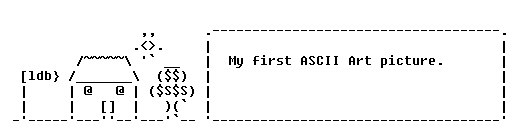
Created in 1998, when I was just getting into the ASCII Art newsgroup, this was the first ASCII art picture I finished. I thought it wasn’t too bad. But I didn’t like it. Other people in the group at the time, like Joan Stark, were making much better art. I remember many others but unless you were there at the time you won’t know them.
 Take a look at my ASCII art now. I’ve been working on an ASCII Art Greetings site tonight. Over 125 images uploaded and sorted into categories so far. Still many others to be added. All of them are my own work.
A long, long time ago my Mother bought me a doll, a bed doll. It was a beautiful doll with an elegant white gown, ribbon flowers and her hair done up in a fancy way. I kept her for a very long time, but she was always made me sad. No fault of the doll. It was one of the things I did which I later regretted.
When we bought the doll my Mother explained that she was meant to be kept on the bed to look pretty. You don’t play with her, you don’t undress her (some of the dress was not meant to be taken off it was sewn on the doll body to an exact fit), most of all, you don’t un-do her hairstyle. I said I would remember all that and just have her sit on my bed. My Mom was hoping this would be another reason for me to get into the habit of making my bed each morning. Sadly, it didn’t work out.
I never get into the bed making habit. Worse, it was not long before my curious mind had to get to work on her hair. Well, some things you just can’t ever fix or put back the way they originally were. She wore the same dress, mostly untouched but her hair was never the same again. So, I always felt a bit bad for letting my Mom down.
Bed dolls seem an old fashioned thing now. But, I like the old fashioned, romantic things. I was glad to find a bed doll with a home made crochet outfit on Etsy. There were a few of them. I wonder if they sell well or hang around, waiting for some silly curious girl to come along and mess up their hair.
Typewriter art could be read as making art using a typewriter (and it's parts), or making art by typing with a typewriter. In this case, it's about making art by typing on a typewriter.
I don't know who the first typewriter artist was, or when they started. But, from what I have read, typewriters were invented in the 1860′s. I could see someone getting the idea pretty early on. Maybe they smudged a line of text and noticed how well it spread, like making a picture.
Typewriter art is like ASCII art (art created with the standard keyboard characters, usually digital/ computer based). Both typewriter and ASCII art use the keyboard characters which are visible on the keyboard layout. If you use the extra characters available it stops being ASCII art and becomes ANSI art. Both typewriter and ASCII art make pictures out of keyboard text but, they are created differently and give different results.
The big difference between typewriter art and ASCII art is not so much the typewriter itself, it's the fact that ASCII art doesn't smudge, there is no ink involved. (Unless someone prints the ASCII art, but that would be after it was created fully). Typewriter art uses all the elements of the typewriter. Artists working with a specific form of creating art will always learn the idiosyncrasies of their chosen element, typewriters (with their ink and typing ribbons) included. Not all typewriter art uses the technique of smudging the ink, that's just feature.
I'm an ASCII artist, which is how I became interested in typewriter art, but I have not tried typewriter art myself. At least not deliberately. I am old enough to have used an old, manual typewriter. There was some art form going on there, even before the creation of Liquid Paper.
Keira Rathbone: Modern Typewriter Artist
A Few Typewriter Artists from the Past