Posts in category “Creative Fat Grrl”
Posted on . Filed in . Tagged with , .

Photocopy Art

From an original post on Suite101 by Jo Murphy. The post and Jo Murphy's bio link are gone since Suite101 revamped the site.

Copy Art Pioneered in Canada Centre Copie-Art Opened in Montreal in 1982 by Jacques Charbonneau

Although it was an international art movement, Canada is recognised for its major contribution to the art form called Copy Art.

According to the Encyclopaedia of Twentieth Century Photography, Copy Art or Xerography was pioneered in Canada, where it is still popular today. Copy Art, uses the photocopier to create artworks by reproducing and multiplying images. The artists play with the process of transformation of graphic images. They experiment with the metamorphosis brought about by the alchemy of light at the heart of the reproduction technology.

Origins of Copy ArtThe electrography process was developed in the USA and Germany in 1938. But this technology became freely available by the year 1960. Copy Art began to appear as an art form by about 1970, and the first exhibition of this kind of art called "Rochester" was held in 1979. Other exhibitions of this type were held in Canada in the same year.

After making its first appearance in France in 1975, copy art became more accepted. By 1983, an exhibition called "Electra" was held in the Musee d'Art de la Ville de Paris. The gallery devoted considerable space to the art form.

Copy Artist Pati HillArtist Pati Hill exhibited in the "Electra" exhibition, working with shadows, grains, and contrasts of black and white as well as textures and micro textures. To create this work, Hill created imagery from feathers, flowers fabrics and plants, says de Meridieu. In a chapter about innovative pioneers in the book called Digital and Video Art, de Mèredieu goes on to talk about Hill as a contemporary experimentalist and her work as extravagant. An example of Hill's technique, she explains, was to photograph every possible (visible, invisible, obvious and unexpected) of the Palace of Versailles.

Centre Copie-Art of Canada

Copy Art continues to thrive in Canada today. The founder of the Canadian movement was Jacques Charbonneau. After discovering the technique, when he was on holiday, he returned to Canada where he opened Centre Copie-Art in Montreal in 1982.

Body Art and Other Offshoots of Xerography

Practitioners of body art, such as Amal Abdenour and Phillipe Boissonnet, reproduced different parts of the body using photo copiers. They were exploiting variations of colour and the effects of contrast and solarisation. Much of this work was achieved by using overlays of transparencies.

Because it so versatile, there have been many different developments and innovations that have evolved from Copy Art. According to de Mèredieu, magazines and fanzines sprang up around artist centres such as art schools and colleges. A centre recognised as famous for encouraging this type of art form was Ecole des Beaux-Arts in Dijon.

de Mèredieu points to the importance of this movement, when she mentions that Klaus Urbons founded a museum of photocopying in Mulheim an der Ruhr in Germany. Here there are displayed old machines, documentation and artist's work. Another example of the value of the body of work, the style and the method, is the opening in 1990 of a major international museum of electrography in Cuenca in Spain.
Posted on . Filed in . Tagged with .

Posting ASCII Art as a Web Gallery

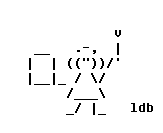
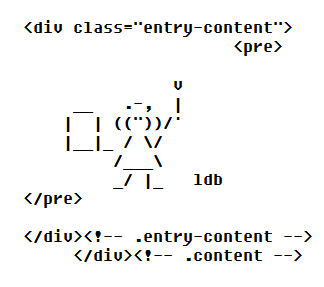
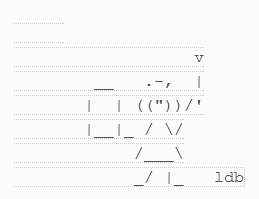
Which image shows the ASCII art better? One is a screen capture of ASCII art I posted as text to a blog. To display it as text rather than an image file (png, jpg or gif) I have to be satisfied with those lines running through it and the gaps too. I don’t like it, but so far it’s the best solution I have found to the problem of displaying text in an HTML world. I prefer using screen capture to display the ASCII art so it can show as I created it, in the text file.

Likely this is getting confusing for anyone who has not had the problem of making ASCII art work to be shown on the Internet.

I used to post ASCII art to HubPages and other online sites. I seldom do now because several people were leaving comments about the images being posted as an image file instead of as a text file (which they could grab with cut and paste – using without permission or assuming ASCII art is all free to take).

Well, I had set it up to display as an image gallery, just like photos, paintings and so on. The artist does not bring paint cans to the gallery and try to recreate all his or her work for the display. I see the ASCII art the same way.

Mainly, it is very difficult to get the ASCII art to display in plain text. Each site uses different software, HTML code and fonts. Every time I want to post ASCII art as text I would have to figure out how it will work on each individual site and sections on the site itself could be different. I did find some things which worked, sort of.

For blogs I found a plugin which displays the text in the right format but, it leaves it choppy looking, with bare lines between. I don’t like the look of it – but it is the best I have found so far. I’m still using it on this blog and my other blogs if I post a few ASCII art pictures I find on the web.

At this point I am done with trying to post text files anywhere online but in an actual text file which can be a clickable link from the HTML web page. Keep it simple.

If people want to complain they can go ahead and do so. But, no one should complain without offering me a solution to the problem of posting text in an HTML environment. If you don’t have a real solution, you should not complain about the solution I have found.

Posted on . Filed in . Tagged with .

ASCII Art as Alt Image Tags

Not everyone tinkers with HTML any more. If you have and know what the alt image tags are (and where they are) you could give this a try. It’s not so practical now that almost no one uses a text based web browser. In the early days of the Internet a text based browser was practical because there were few images and if you stuck with text only web surfing you could be much faster in the days of dial up modems.

As you can see below the code is basic HTML for adding an image with the addition of the alt attribute to describe the image. This alt tag is still practical for people who concern themselves with SEO. Mainly it is good for keeping your site accessible for those who are vision impaired and have technology which will read those image tags but be unable to describe the image unless the tag exists to be read.

To do this, have your ASCII art ready. Create an ASCII image to go with the graphical image you are using.

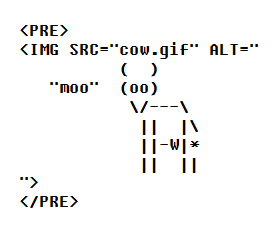
In your HTML code include the entire <IMG> tag inside <PRE>…</PRE> tags, and put the ASCII art inside the ALT attribute. (See the image below which I recreated and then cut and pasted from the site where I found this idea.)

With this code a text only web browser would pick up only the image text and thus show your ASCII art picture. The ASCII art picture would not benefit the vision impaired web reader/ browser. So it is a good idea to add a word to describe your image along with the ASCII art picture.

Do not add text before or after the image itself. It will work as part of the image. Keep it all between the quote marks and the PRE tags (which tell the web browser this is pre-formatted information which should be kept “as is” with line breaks and spaces).

Posted on . Filed in . Tagged with .

ASCII Art Used in Chain Mail Online

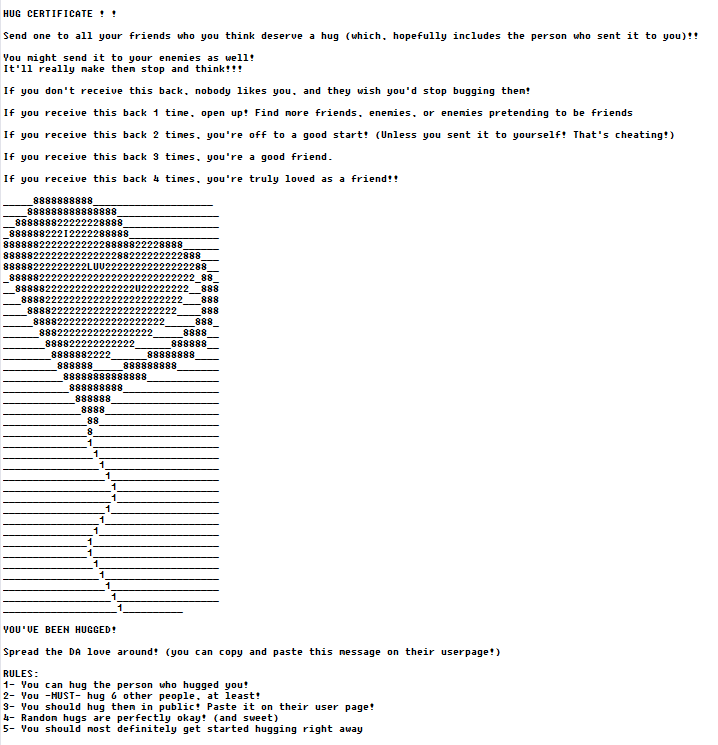
You can see an example of chain letter (chain mail) which uses ASCII art to illustrate and attract attention to it. I’ve seen others which use ASCII art angels and a large face with open arms on either side.

I’m not a fan of chain mail, even those which appear to be nice on the surface. How well meaning can they be when they are still based on telling people what they will or will not get if they do or do not send the chain letter to someone else. Often a lot of other people. Don’t consider yourself expected to send this to anyone.

Posted on . Filed in . Tagged with .

Passwords in ASCII Art

I haven’t thought about ASCII art text images being used for passwords in a long time. I remembered the idea when I read a post written by hackers who were trying to create software which would crack ASCII art passwords based on repeated characters.

ASCII art as a password is pretty unique still. Don’t worry too much about hackers cracking your password. Just make your ASCII art a bit more complicated, using more variety in the characters you choose and include numbers and letters too. Of course, the ASCII has to be one line too.

Think of it as a good reason to work on creating new one line ASCII art.